 German

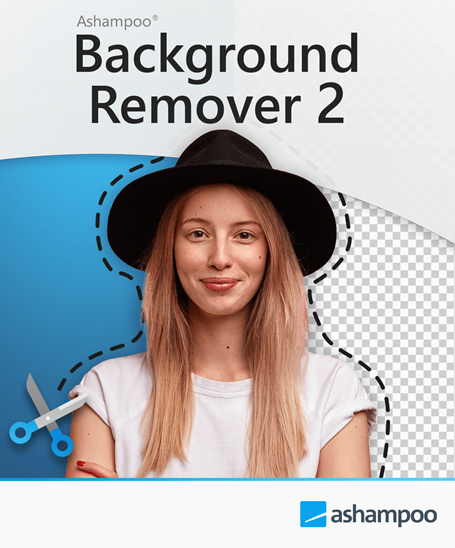

Ashampoo Background Remover 2 Key | AI Photo Isolation & 4x Upscaling
Release Date
-
Update Release Date: November 18, 2025
-
License Type: Perpetual / Lifetime License (Typically for 1 PC)
-
Platform: Windows 11, Windows 10 (x64 recommended)
Ashampoo Background Remover 2: Automated Precision for Photo Editing
Ashampoo Background Remover 2 is a specialized graphics application developed by Ashampoo that uses advanced Artificial Intelligence (AI) to simplify and automate the tedious task of background removal from photos. Designed for both professionals and beginners, the software achieves pixel-perfect cut-outs—including challenging details like hair—in seconds, saving hours of manual editing time.
The Problem It Solves
This software directly addresses the difficulty and time investment required to manually select and isolate complex objects, people, or products in an image using traditional photo editors. By automating the core selection process and providing robust manual refinement tools, it democratizes high-quality object isolation for anyone needing clean cut-outs for web projects, product listings, or creative compositions.
Key Features Defining AI-Powered Object Isolation
-
Smart Object Detection (AI-Powered): The AI reliably detects and isolates main subjects, including people and objects, with exceptional precision. It is specifically trained to handle subtle details like individual strands of hair.
-
AI Upscaling (4x Enhancement): Version 2 introduces a breakthrough feature: extracted objects can be enlarged up to four times (4x) their original size without visible quality loss. This is essential for reusing low-resolution cut-outs in high-resolution design projects.
-
100% Offline AI Processing: For maximum data privacy and security, all AI-powered features—including object detection and upscaling—run entirely locally on your computer. No image data is ever sent to external servers.
-
Manual Refinement and Fine-Tuning: While the AI is highly accurate, manual post-processing tools (Add/Remove brush) allow users to fine-tune results quickly. A selection frame tool also helps guide the AI in complex scenes with multiple detected objects.
-
Creative Background Swapping: Easily replace the removed background with a new image, a solid color, or apply creative effects. The software includes visual filters (like sepia and noir) and a Bokeh effect to blur the background.
-
Seamless Integration: Extracted objects can be saved as transparent PNG files, or immediately copied to the system clipboard for instant pasting into other editing applications.
Ashampoo Background Remover 2 PC FAQ
Q: Do I need a powerful computer to run the AI features?
A: The software requires a 64-bit Windows system (Windows 10 or 11). While 16GB of RAM is often recommended for best performance, the local AI processing is generally fast and efficient on modern PCs.
Q: Is this software a subscription?
A: No. The key listed provides a Perpetual/Lifetime License, meaning you purchase the software once and own that version permanently for the specified number of devices (typically one PC).
Q: Can I only isolate people?
A: No. The AI is designed to detect both people and general objects (like products, cars, or pets), making it versatile for e-commerce, social media, and portrait editing.
Q: How is the 4x upscaling feature used?
A: After the object is successfully cut out, you can use the built-in function to upscale the resulting object by a factor of four. This is especially useful for small images where the isolated object needs to be high-resolution for a large design project.
Q: Does the software support the latest Windows versions?
A: Yes. The program is fully optimized for Windows 11 and Windows 10 (64-bit) operating systems.
How to Download & Install Ashampoo Background Remover 2
-
Download software: Locate and download the setup file for Ashampoo Background Remover 2 from the official Ashampoo website or a trusted retailer's link.
-
Run setup: Double-click the downloaded setup file to begin the installation. You will be prompted to enter your purchased license key.
-
Enter and Activate: Enter your license key exactly as provided. Next, click the "Activate now!" button to validate your lifetime license.
-
Complete Installation: Click "Next" to complete the installation process, after which the program will be ready to use.
Keine Bewertungen gefunden!








Keine Kommentare zu diesem Produkt gefunden. Sei der erste der kommentiert!