 English

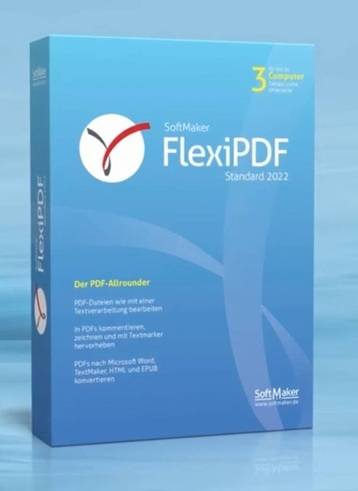

FlexiPDF Standard 2022 for Windows | Edit PDF Like a Word Processor & Modern Ribbon UI
-
Original Release Date: September 21, 2021
-
License Type: Perpetual / Lifetime Activation
-
Platform: Windows 11, 10, 8, 7 (64-bit & 32-bit)
About the Product
FlexiPDF Standard 2022 is the perfect solution for users who want to edit PDF files with the same ease and flexibility as a word processor. Unlike standard PDF readers that only allow for basic annotations, FlexiPDF allows you to acquire total control over your documents. You can change text across paragraphs and pages, insert images, and rearrange layouts without the frustration of broken formatting. The 2022 version introduces a completely redesigned Ribbon Interface, making it intuitive for anyone familiar with Microsoft Office. It is the ultimate tool to obtain professional PDF editing capabilities without the high cost of a monthly subscription.
The Problem It Solves
Most PDF editors treat documents like static images, making it nearly impossible to fix a typo or change a sentence without ruining the page alignment. FlexiPDF Standard 2022 solves this by using advanced text reflow technology. It enables you to get work done faster by allowing direct editing within the PDF. Whether you need to update an old price list, fix a contract, or unlock a document for redistribution, FlexiPDF ensures you can obtain a polished, professional result in seconds rather than hours.
Key Features Defining Professional PDF Productivity
Edit Text Like Word
Unlock the ability to edit PDF text just like you would in a word processor. FlexiPDF handles paragraph wrapping and page breaks automatically, so you can acquire a seamless editing experience even in complex documents.
Modern Ribbon Interface
The software features a familiar, easy-to-navigate ribbon menu. This allows you to get to the tools you need instantly—from font settings to page management—reducing the learning curve significantly.
PDF/A Export for Archiving
Ensure your documents remain readable for decades. With FlexiPDF, you can obtain PDF/A compliant files, which is the international standard for long-term digital preservation and legal archiving.
Advanced Page Management
Easily get your documents organized. You can drag and drop to reorder pages, merge multiple PDFs into one, or delete unnecessary sections to acquire a perfectly tailored file.
Digital Signatures & Security
Protect your intellectual property. FlexiPDF allows you to unlock secure encryption options and apply digital signatures, ensuring your recipients can verify the authenticity of the documents you send.
FlexiPDF Standard 2022 FAQ
Is this a lifetime license?
Yes. When you acquire this key, it is a perpetual license. You pay once and get to use FlexiPDF Standard 2022 forever on your Windows PC with no recurring fees.
Does it support OCR (Optical Character Recognition)?
The Standard version focuses on editing existing digital PDFs. To obtain the ability to turn scanned paper documents into editable text via OCR, the Professional version is typically required.
Can I install this on multiple computers?
A standard retail license for FlexiPDF is generally intended for one user. If you need to unlock the software on multiple machines for a team, you may need to acquire additional licenses.
Is it compatible with Windows 11?
Yes, FlexiPDF 2022 is fully optimized for Windows 11 as well as older versions like Windows 10 and 7, ensuring you get stable performance across all hardware.
How to Download & Install FlexiPDF Standard 2022
-
Download the software from the official portal: (Download using this links https://www.softmaker.net/down/flexipdf2022.exe
-
Run the
.exeinstaller and follow the setup wizard to complete the installation. -
Launch the application. When prompted, go to the "?" (Help) menu or the activation prompt.
-
Enter your unique Product Key and click "Activate" to unlock the full version permanently.
No reviews found!







No comments found for this product. Be the first to comment!