 English

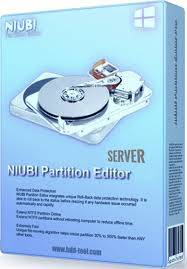

NIUBI Partition Editor Server Edition | Professional Server Disk Management
Release date
-
Latest Version: v9.9.x (Regularly updated for Windows Server 2025 compatibility)
-
Platform: Windows Server 2025, 2022, 2019, 2016, 2012, 2008, 2003 (32/64-bit)
-
Download Installer: Obtain the installer from your purchase here!
NIUBI Partition Editor Server Edition: The Safest Partition Software
NIUBI Partition Editor Server Edition is a specialized disk management toolkit designed for Windows Server environments. It is widely recognized as a top-tier partition tool because of its unique data protection technologies. It allows administrators to resize, move, merge, and convert partitions without any data loss. For IT professionals managing mission-critical servers, it provides a reliable way to solve "Low Disk Space" issues on C: drives without needing to reformat or reinstall the OS.
The Problem It Solves
Server downtime is costly. Traditional partition tools risk data corruption if a system crash or power failure occurs during a resizing operation. NIUBI solves this with its 1-Second Rollback technology, which automatically reverts the server to its original state if any hardware issue occurs during the process. This ensures that even in a worst-case scenario, the server remains online and data remains intact.
Key Features Defining Server Reliability
-
1-Second Rollback: Unique technology that automatically rolls back the server to its original status in a flash if any software or hardware error occurs.
-
Cancel-at-will Technology: Allows you to cancel ongoing operations at any step without losing data, even if the process is nearly complete.
-
Hot Resize: Extend NTFS partitions within Windows without rebooting the server, minimizing downtime for users and services.
-
Virtual Mode: All operations are listed as "pending." The real disk partition won't be changed until you click "Apply" to confirm.
-
Faster File-Moving: An advanced algorithm makes moving partitions 30% to 300?ster than other tools, which is vital when dealing with large server drives.
-
All-in-One Toolkit: Includes features to Create, Delete, Format, Hide, Wipe, Clone, and Convert partitions (e.g., MBR to GPT, Logical to Primary).
-
SSD/RAID Support: Fully compatible with all types of hardware RAID controllers, VMware, Hyper-V, and SSD/HDD storage.
NIUBI Partition Editor Server Edition FAQ
-
Q: Can I use the Server Edition on a regular Windows 11 PC?
-
A: Yes. The Server Edition is compatible with all versions of Windows (11/10/8/7) as well as Windows Server.
-
-
Q: How many servers does one license cover?
-
A: The standard Server Edition license covers 2 Servers within a single company. For unlimited servers, an Enterprise Edition is usually required.
-
-
Q: Does it support dynamic disks?
-
A: Yes, it can resize and manage dynamic disk volumes, and even convert dynamic disks to basic without data loss.
-
-
Q: Can it create a bootable ISO?
-
A: Yes, the Server Edition allows you to create a WinPE bootable CD/DVD/USB to manage partitions before the OS boots.
-
How to Install NIUBI Partition Editor Server Edition (Key Activation)
-
Download Installer: Obtain the installer from your purchase here!
-
Run Setup: Double-click the installer and follow the wizard. It is a very lightweight installation (approx. 12 MB).
-
Enter License Key: Launch the program. Click the "Activate" button in the top menu bar.
-
Instant Activation: Paste your license code and click OK. The trial restrictions will be removed, and all professional features will be unlocked.
-
Apply Operations: Select your disk, perform your changes in Virtual Mode, and then click Apply to finalize.
No reviews found!



No comments found for this product. Be the first to comment!